Short answer: WhatsApp transcribes voice messages only in the languages on its list, only in the transcript language you picked, and only with the feature switched on. Check those three things first. If your language is simply not supported, which is the case for Azerbaijani, a separate transcription app is the way to read the message.
1. Is the feature switched on?
In WhatsApp, open Settings, then Chats, then Voice message transcripts, and make sure transcripts are on. This is the path WhatsApp gave when it announced the feature in November 2024.
2. Does the message match your transcript language?
The same setting asks for a transcript language. WhatsApp transcribes into that one language, so a voice message in a different language may not be transcribed, or may come out wrong. If you receive messages in more than one language, this is worth checking before anything else.
3. Is the language on WhatsApp's list?
WhatsApp launched transcripts with a few selected languages and has added more since. As reported in September 2026, Android covers English, Spanish, Portuguese, Russian, Arabic and Hindi, with German, French, Italian and Japanese rolling out. WhatsApp keeps the current list in its help centre.
On iPhone the transcript is generated on the phone itself. A useful check is Apple's own list of dictation languages: if iPhone cannot recognise speech in a language, do not expect an on-device transcript in it. Azerbaijani, for example, is on Apple's keyboard list but not on its dictation list.
When your language is not supported
Wascripts transcribes voice messages in Azerbaijani, Turkish and other widely used languages, including speech that mixes in Russian or English mid-sentence. It also writes the tone into the text, in square brackets where it happened. On iPhone it takes about a minute:
- In WhatsApp, press and hold the voice message and tap Forward.
- Tap the share icon at the bottom right and choose Wascripts.
- Tap the "Voice note ready" notification. The transcript arrives a few seconds later.
The full walkthrough, with screenshots, is in how to turn WhatsApp voice messages into text on iPhone.
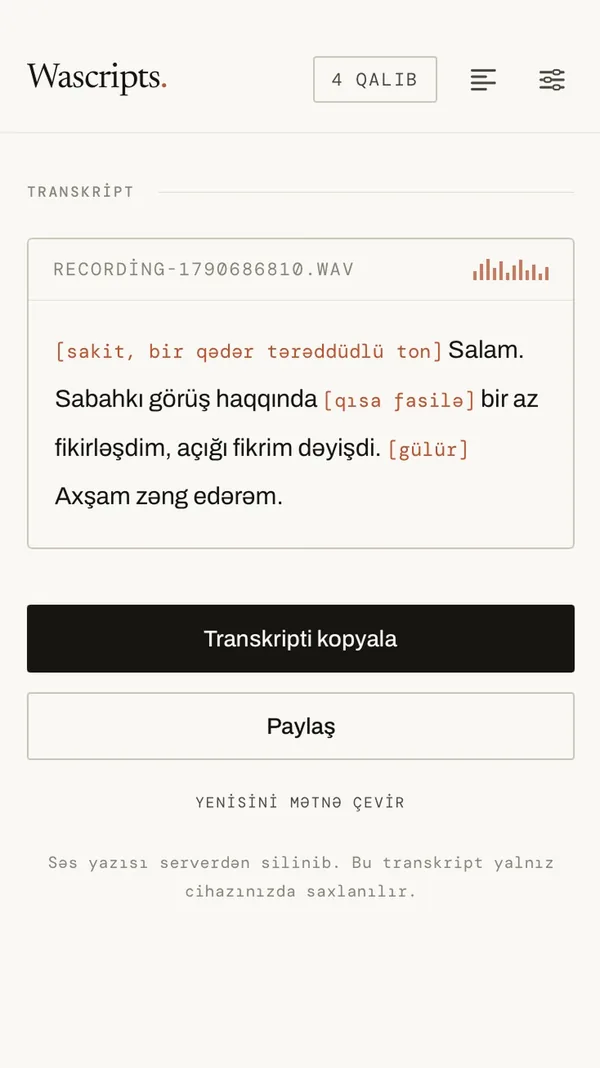
Wascripts is on the App Store for iPhone. Your first five voice notes are free, with no account, card or email address required.
Questions
Will WhatsApp add my language?
WhatsApp said when it launched transcripts that it planned to add more languages, and it has added some since. It does not publish a timetable for particular languages.
Is there a way on Android?
Wascripts is for iPhone only at the moment; the Android version is in closed testing.
Does Wascripts translate the message?
No. It writes what was said in the language it was said in, with the tone notes in that same language.
Sources (checked 29 September 2026):
WhatsApp's transcripts announcement,
WABetaInfo on Android transcript languages,
Apple: iPhone dictation languages.
Wascripts is not affiliated with or endorsed by WhatsApp or Meta.