Short answer: there are two ways. WhatsApp's own transcripts work if your language is on its list, but they write only the words. Sharing the voice message to a transcription app such as Wascripts also works for languages WhatsApp does not cover, like Azerbaijani, and keeps the tone: the laughter, the hesitation and the pauses.
Way 1: WhatsApp's built-in transcripts
WhatsApp introduced voice message transcripts in November 2024. According to its announcement, the text is generated on your phone, and the feature started with a few selected languages.
- In WhatsApp, open Settings, then Chats, then Voice message transcripts.
- Turn transcripts on and choose your transcript language.
- In a chat, press and hold a voice message and tap Transcribe.
What this route does not do:
- It writes only the words. Where someone laughed, hesitated or went quiet does not appear in the text.
- It works in one transcript language at a time. A message in another language may not come out right.
- It covers a limited set of languages. If the transcript option is missing, see WhatsApp voice transcript not available.
Way 2: share the voice message to Wascripts
- In WhatsApp, open the chat and press and hold the voice message.
- Tap Forward.
- Tap the share icon (a square with an arrow pointing up) at the bottom right of the screen.
- In the share sheet, choose Wascripts. If it is not in the row of apps, tap More at the end of the row and pick it there.
- A "Voice note ready" notification appears at the top of the screen. Tap it: Wascripts opens and starts transcribing.
- A few seconds later the text is ready. Tap "Copy the transcript" to paste it anywhere.
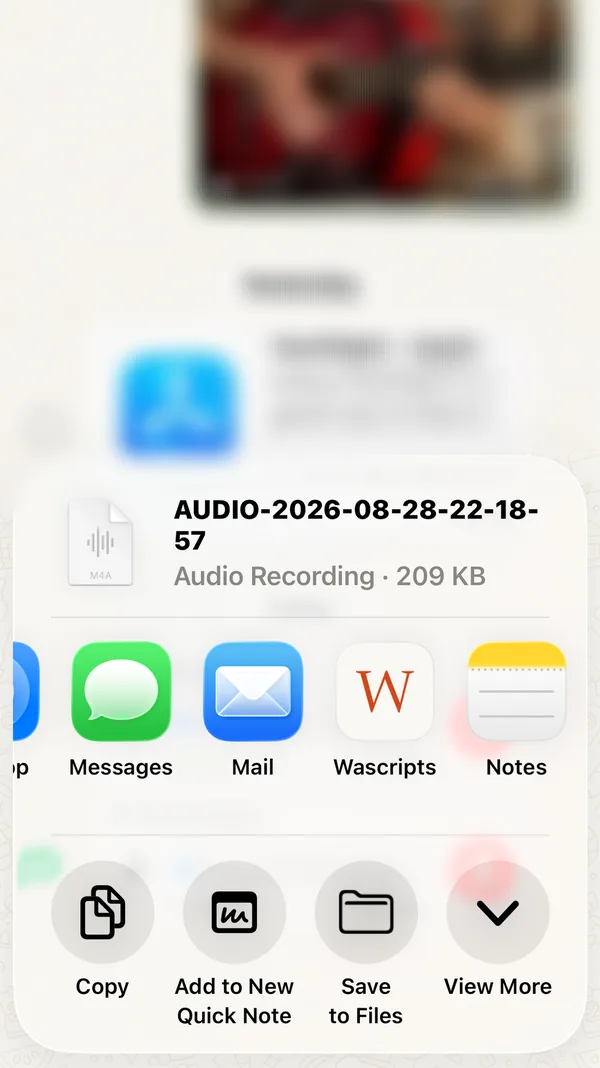
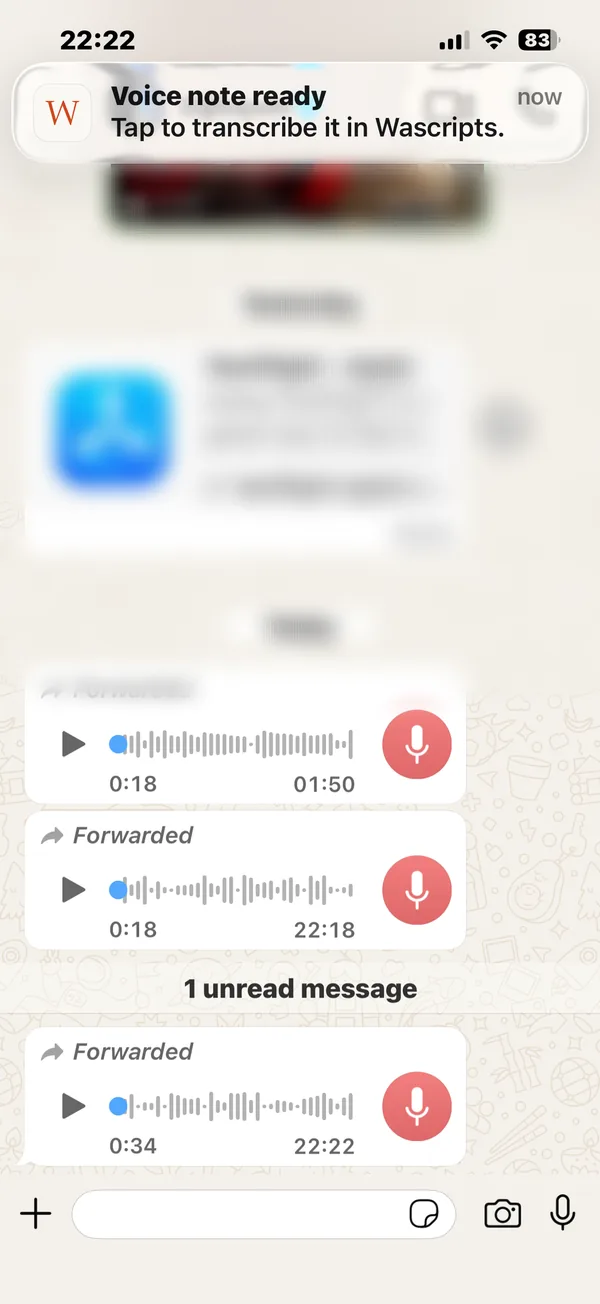
No notification? Open Wascripts yourself. The voice message you shared is waiting in the app and starts transcribing as soon as it opens. You can turn notifications on later under Wascripts in the iPhone Settings app.
What the result looks like
This is a real transcript of an English voice message:
[relaxed, casual tone] Hey, it's me. About yesterday's offer, honestly, I think it's a good deal. [chuckles] Let's talk tonight.
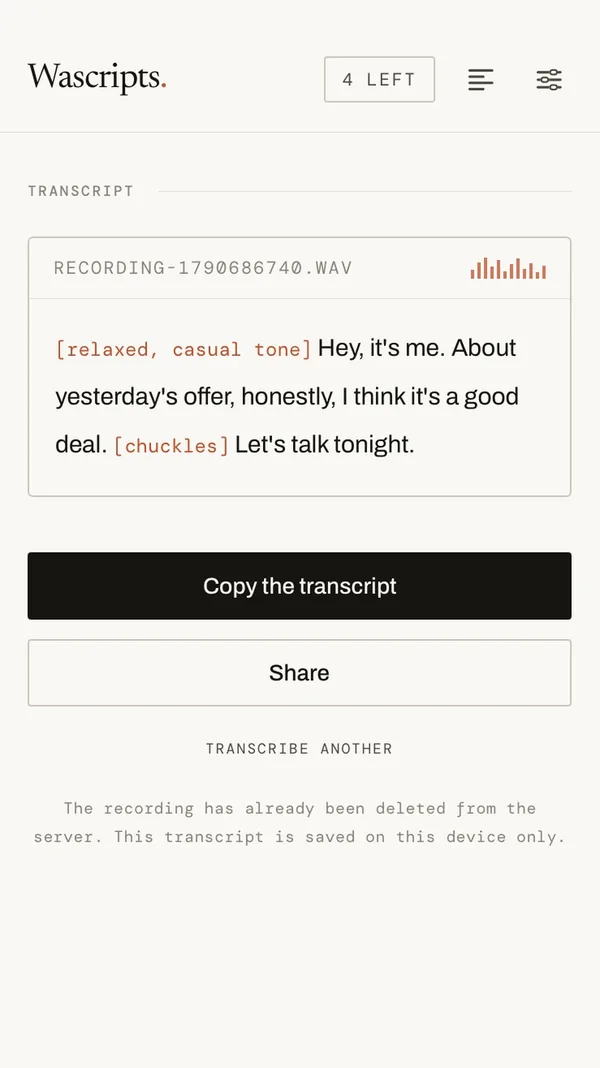
Wascripts is on the App Store for iPhone. Your first five voice notes are free, with no account, card or email address required.
Other ways to get audio into Wascripts
- Record in the app. Tap "Record a voice note" on the home screen.
- Choose a file. "Choose an audio file" opens wav, mp3, m4a, aac, ogg and opus files saved on your iPhone.
- Share from other apps. The steps above work from any app that can send audio to the share sheet.
Questions
Does Wascripts work on Android?
Not yet. Wascripts is for iPhone and needs iOS 17 or later. The Android version is in closed testing.
Is my audio stored?
No. The recording is sent to the server to be transcribed and deleted as soon as the text is ready. The transcript is kept on your phone only. Details are in the privacy policy.
Do long voice messages cost more?
No. One voice message is one credit. Plans and packs are on the pricing section.
Can I transcribe someone else's voice message?
A voice message usually contains someone else's voice. Deciding to transcribe it is your call, and so is having a lawful basis for it. See the terms.
Sources (checked 29 September 2026):
WhatsApp's transcripts announcement,
Apple: iPhone dictation languages.
Wascripts is not affiliated with or endorsed by WhatsApp or Meta. WhatsApp is named only to
explain how the apps work together.